

Verify Revenue – RevenueCat
Verify in-app subscription revenue by adding your RevenueCat API key.
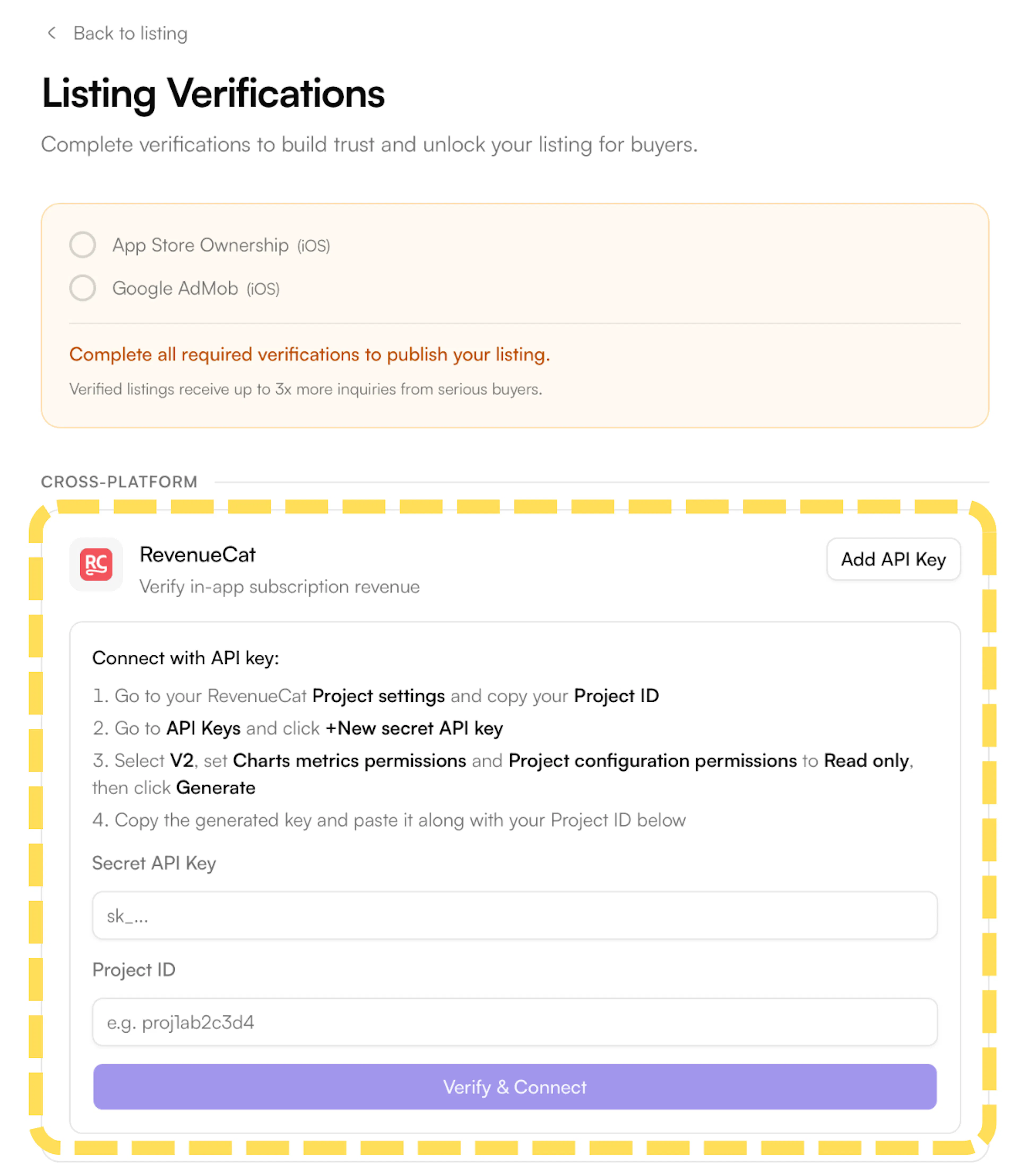
- On the Listing Verifications page, find RevenueCat under the Cross-Platform section and click Add API Key. A panel will expand with the steps and input fields.
-
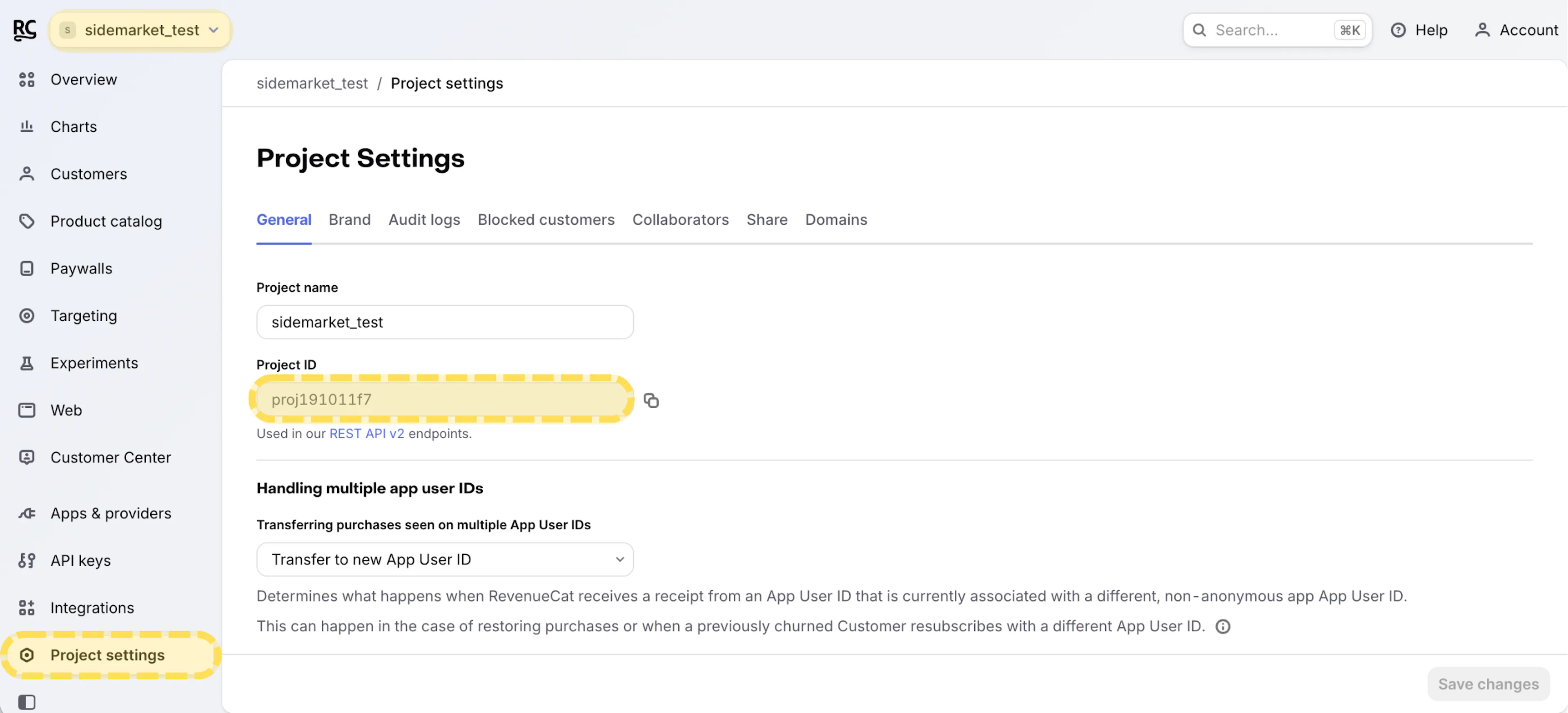
Go to your RevenueCat dashboard and select your project.
-
Click Project settings in the left menu and copy your Project ID. You'll need this when connecting to SideMarket.
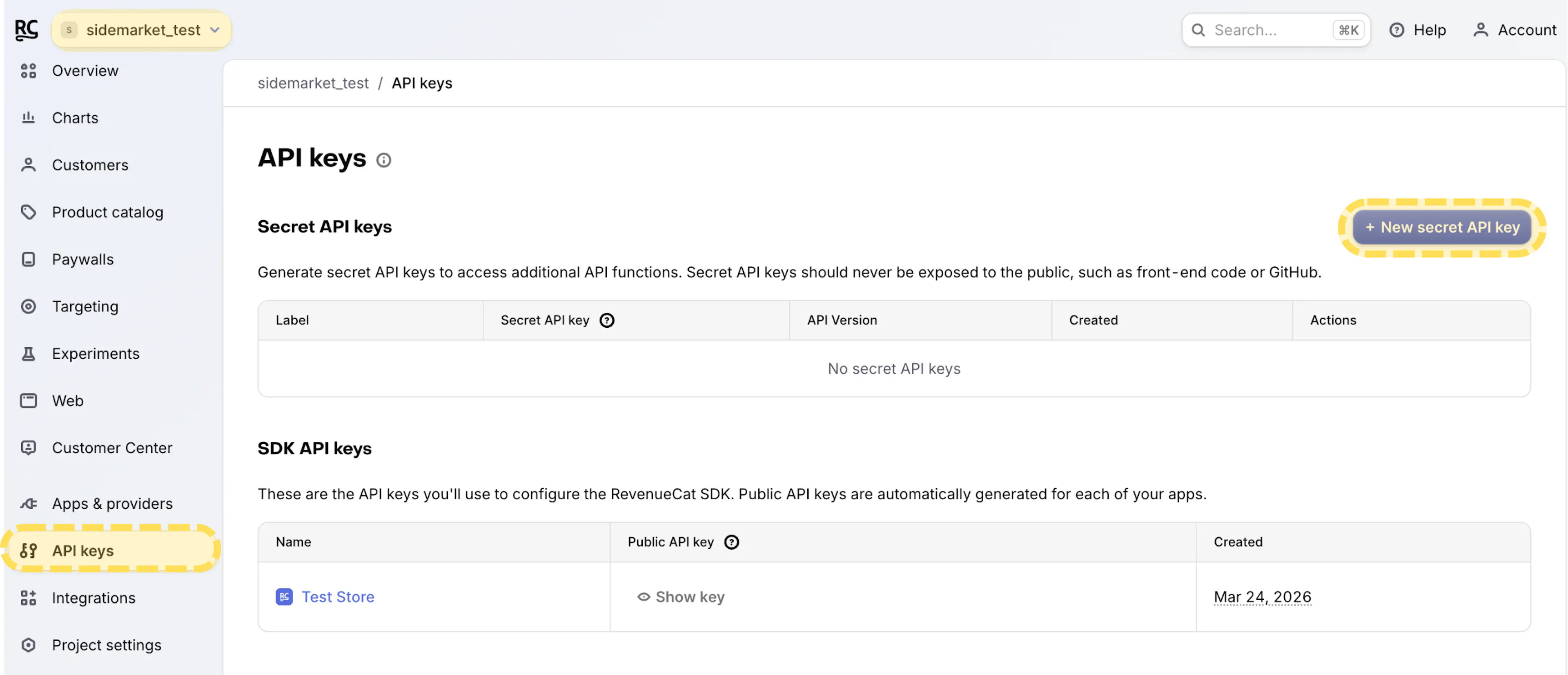
- Click API Keys in the left menu. Under Secret API keys, click + New secret API key.
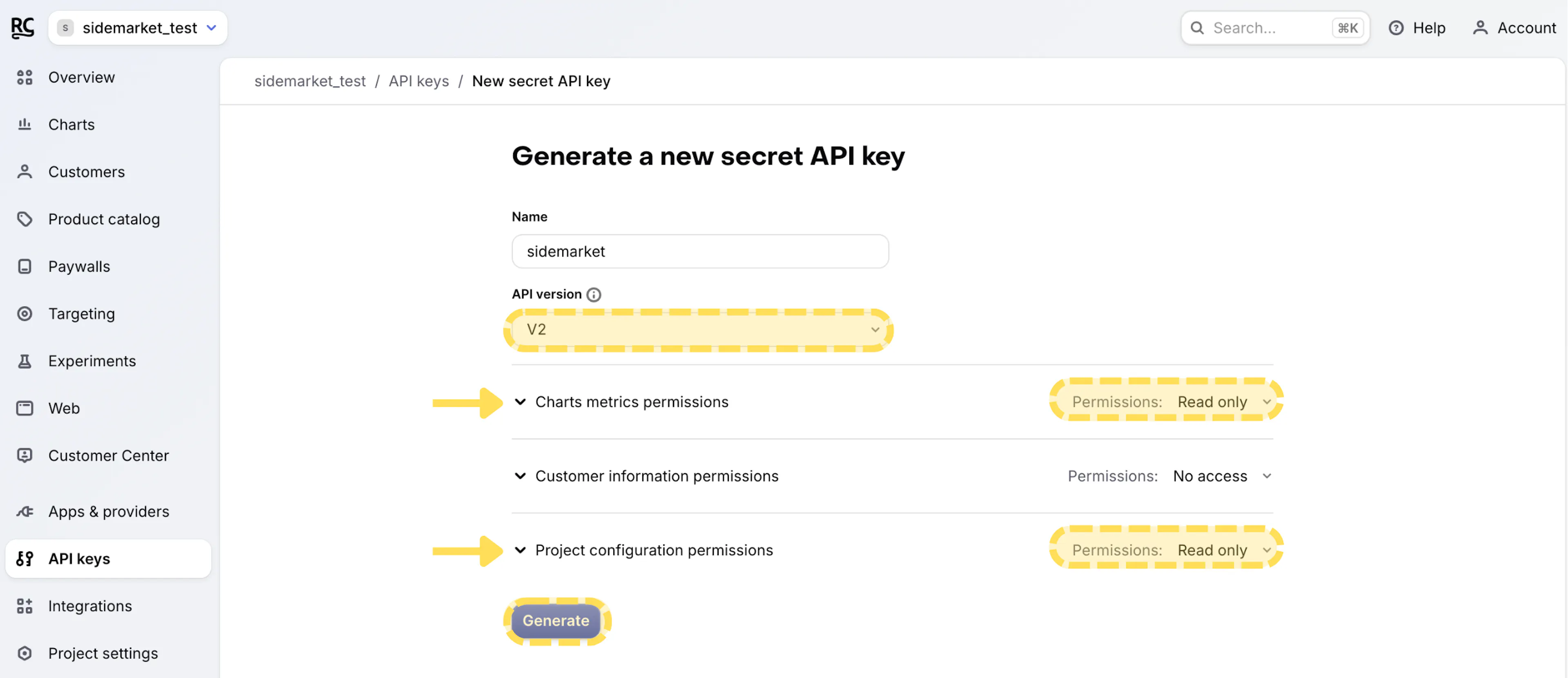
- Select V2 as the API version and set permissions to read-only. Make sure the following scopes are enabled:
-
Charts Metrics Permissions: Read Only
-
Project Configuration Permissions: Read Only
-
Generate and copy the key. You'll need this when connecting to SideMarket.
-
Return to SideMarket and paste your credentials into the fields and Click Verify & Connect to complete the verification.
SideMarket only requests read-only access - we never modify your RevenueCat data.