

Verify Revenue – Adapty
Verify in-app subscription revenue by adding your Adapty API key.
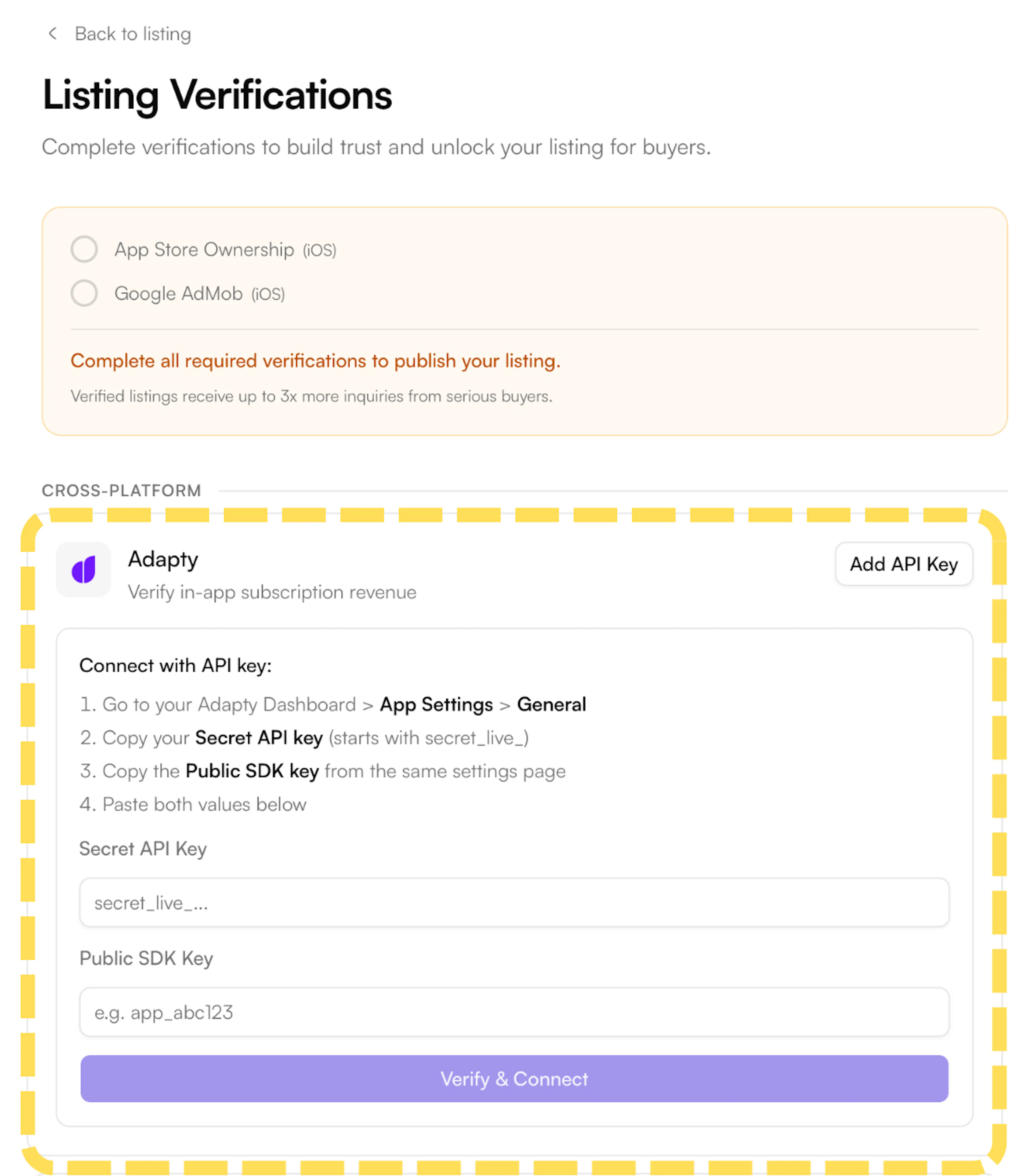
- On the Listing Verifications page, find Adapty under the Cross-Platform section and click Add API Key. A panel will expand with the steps and input fields.
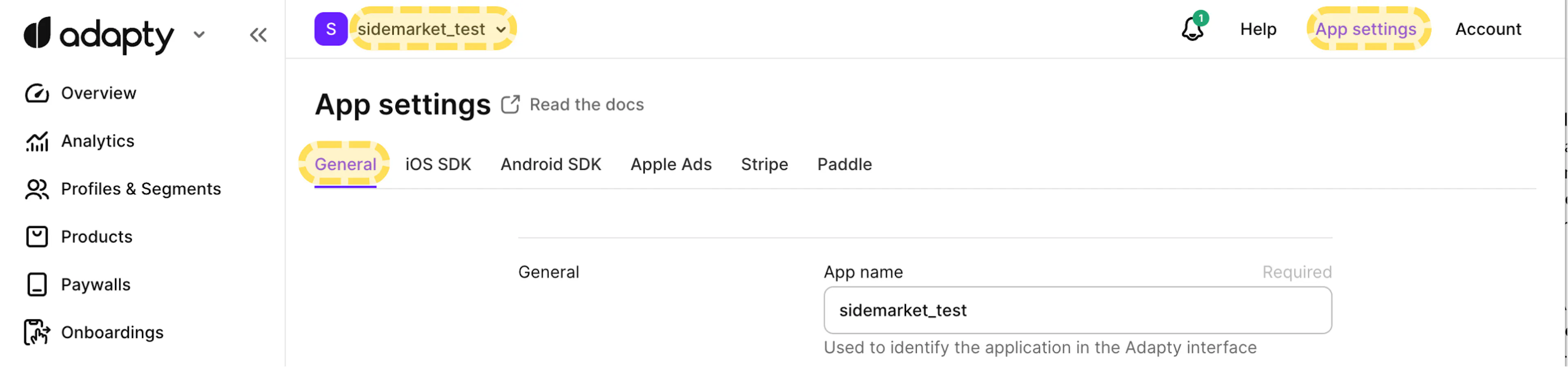
- Go to your Adapty dashboard and select your app. Click App settings in the top navigation bar, then open the General tab.
-
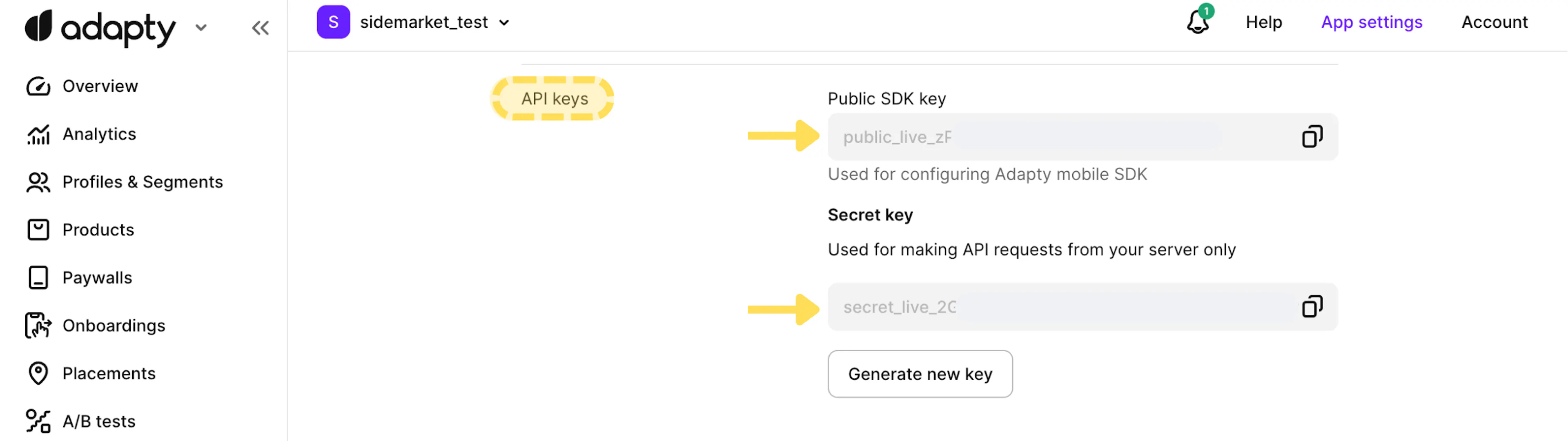
Scroll down to the API keys section. Copy both keys:
-
Public SDK key — starts with
public_live_ -
Secret key — starts with
secret_live_
-
- Return to SideMarket and paste both keys into the fields, then click Verify & Connect.
SideMarket only requests read-only access - we never modify your Adapty data.