

Verify Ownership – App Store (iOS)
Prove you own an iOS app by temporarily adding a unique code to your App Store promotional text.
- On the Listing Verifications page, find App Store Ownership under the Ownership section and click Connect. A panel will expand showing your unique verification code and the steps below.
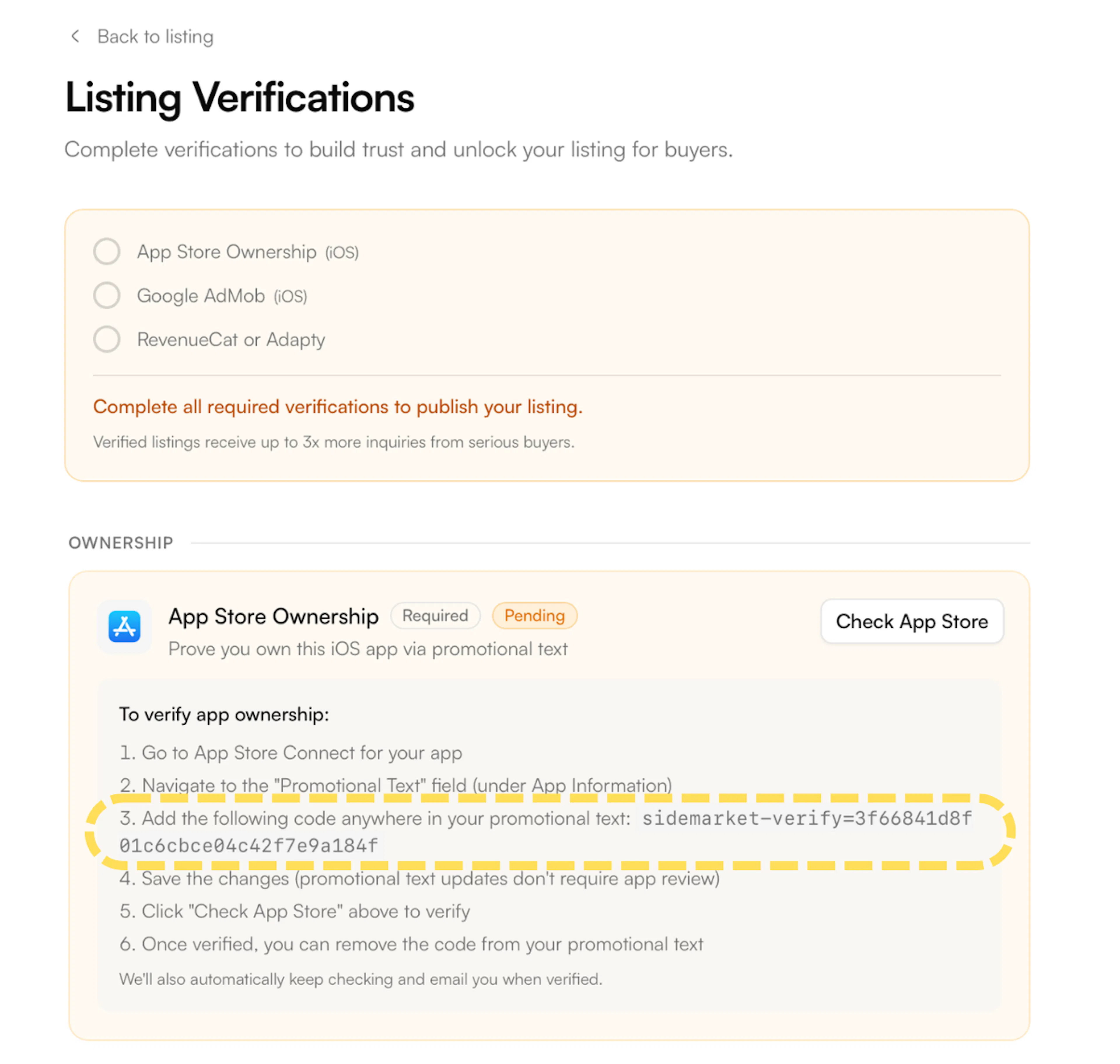
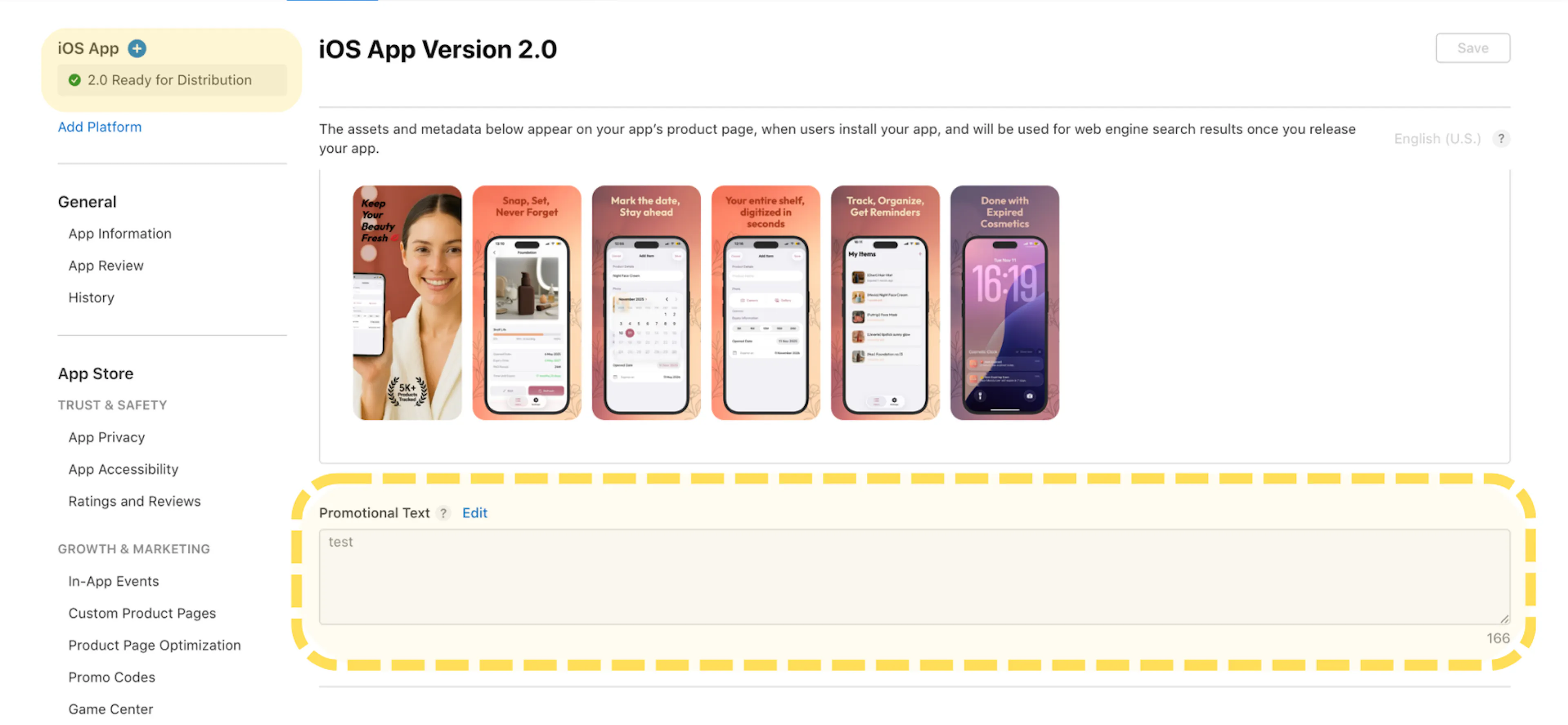
- Go to App Store Connect and open your app. Navigate to the Previews and Screenshots section. Scroll down to find the Promotional Text field and click Edit.
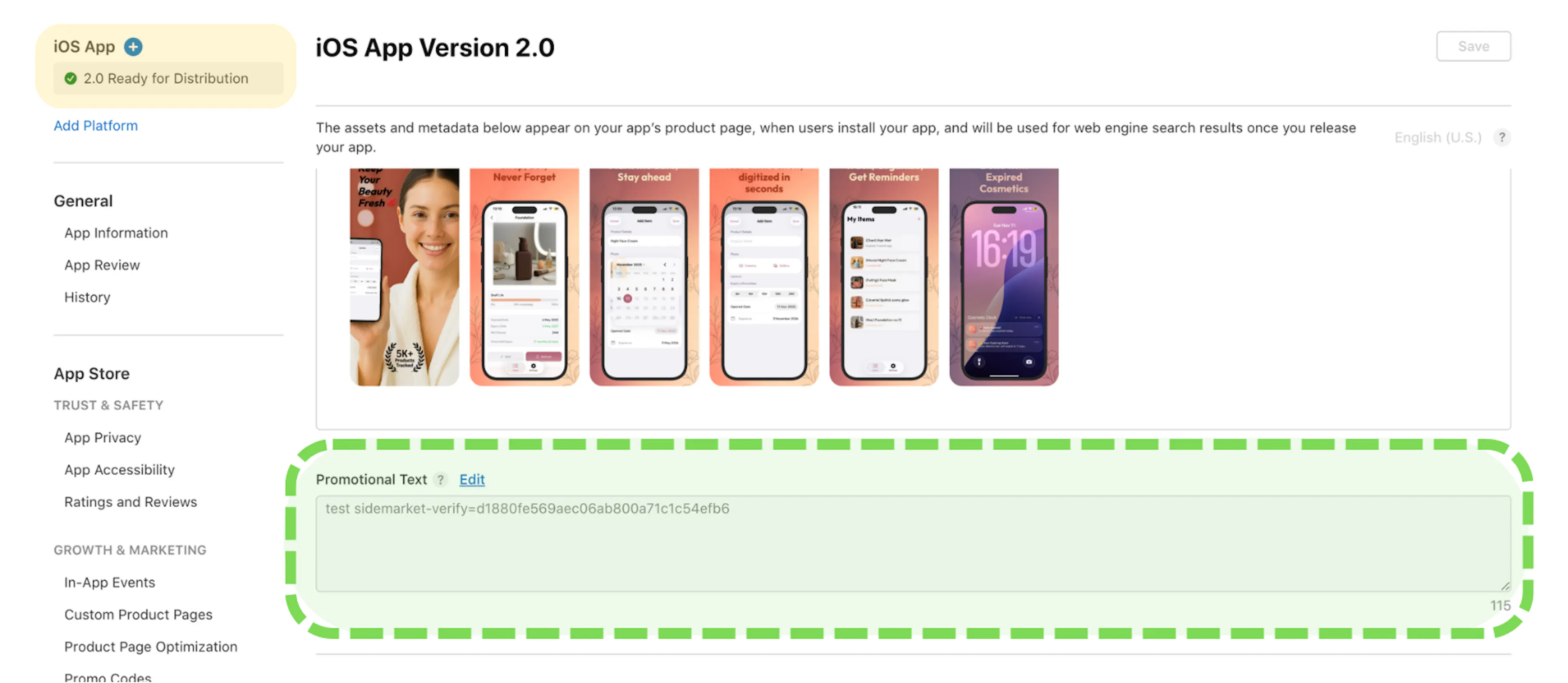
- Add your unique verification code anywhere in the promotional text field. You can paste it at the beginning or end.
Promotional text updates do not require an app review - changes take effect immediately on the App Store, though they may take 3–5 minutes to propagate.
- Click Save in App Store Connect to apply the change.
- Return to SideMarket and click Check App Store to trigger verification.
You can check once every 60 seconds. If the check fails immediately after saving, wait a few minutes. App Store changes can take 3–5 minutes to fully propagate before they can be detected.
- Once verified, you'll see a confirmation and receive an email from SideMarket. You can then remove the verification code from your promotional text - it's no longer needed.