

Listing Verification: Overview
Step-by-step instructions to verify your listing and build trust with buyers.
How to access the Listing Verifications page?
- Go to your listing detail page. At the top of the page you'll see a banner showing the verifications required for your listing.
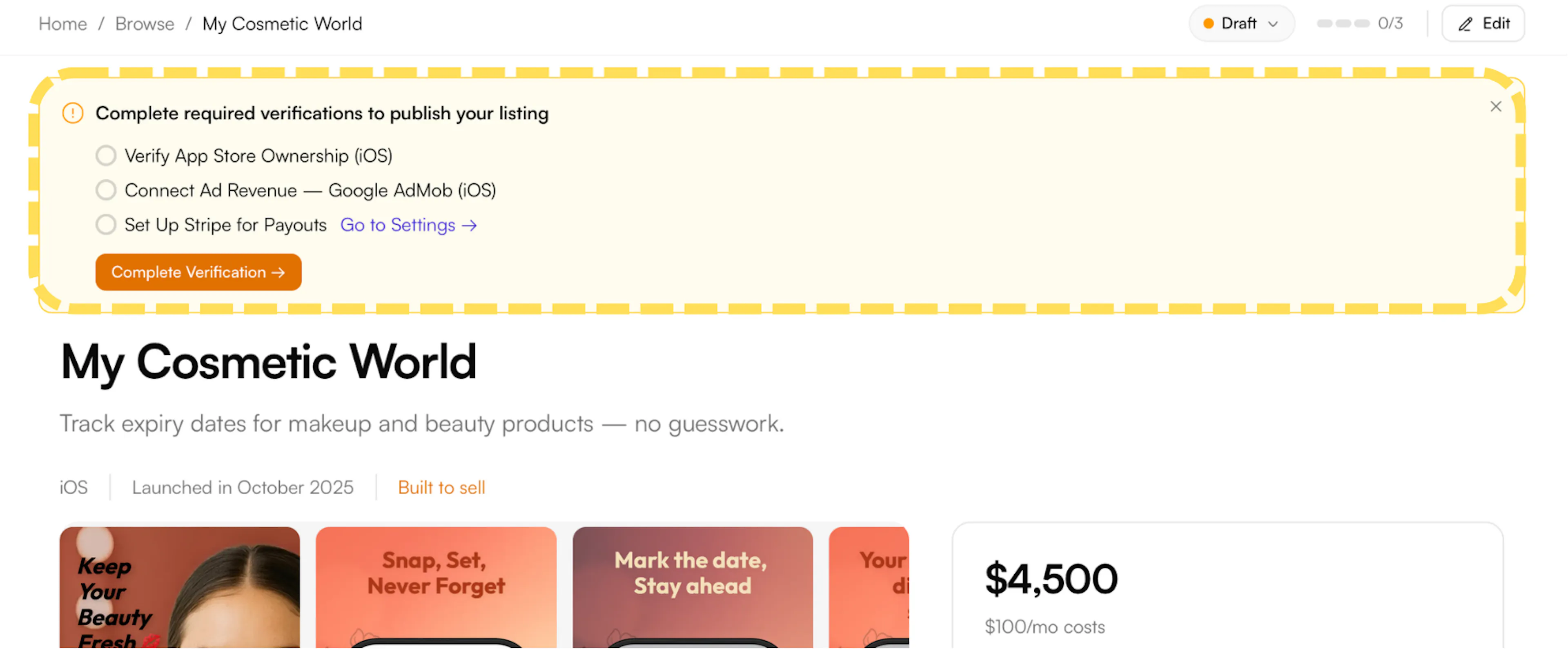
Already completed your required verifications? You can still access this page at any time by clicking the progress indicator (e.g. 0/3) at the top of your listing page and selecting Manage Verifications.
- Click Manage Verifications to open the Listing Verifications page. Here you'll see all required and optional verifications organized by category.
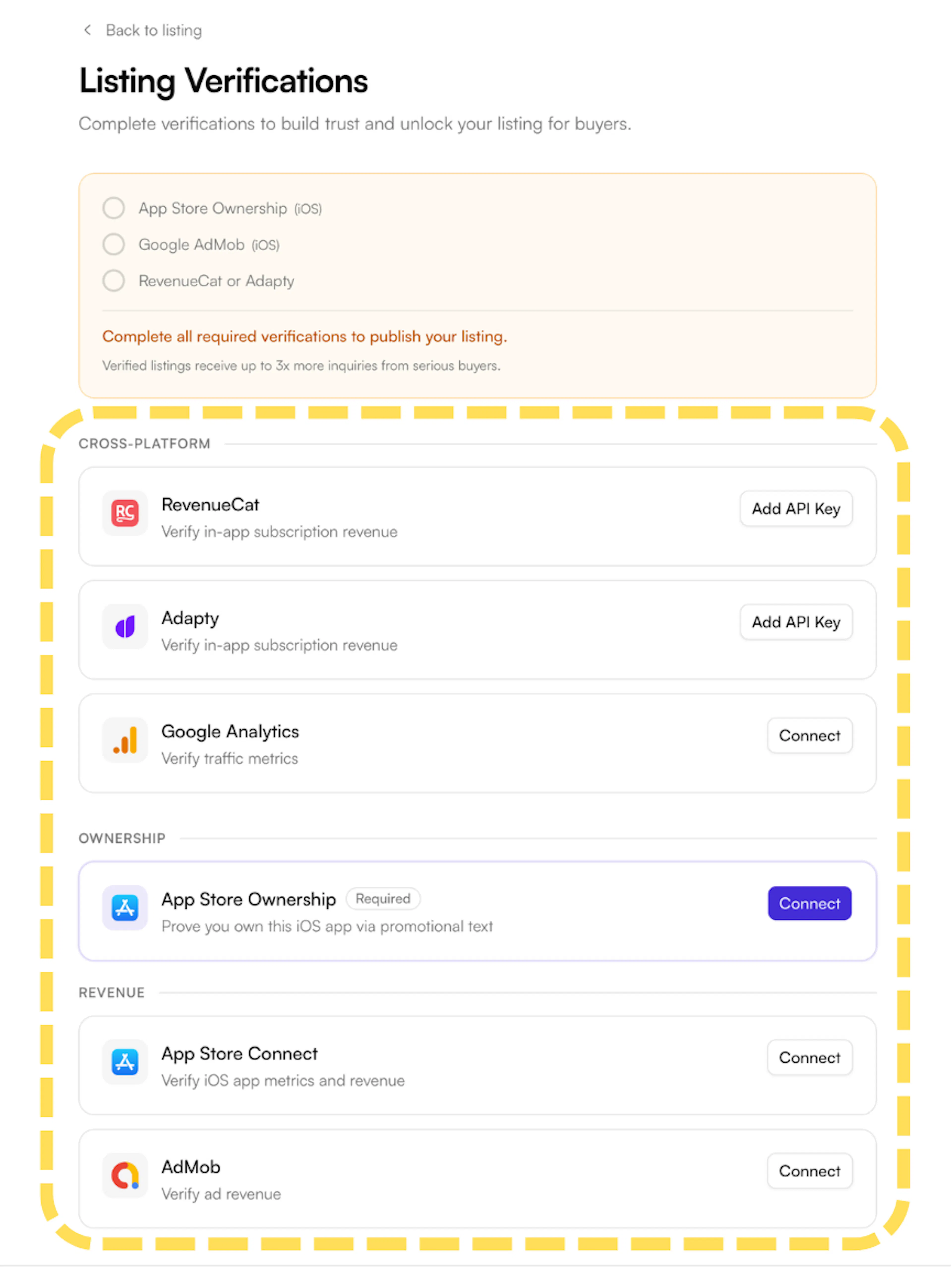
Which verifications apply to you?
- The verifications required for your listing depend on the revenue model you selected during listing creation.
- Check your Listing Verifications page to see which ones are marked as Required for your specific listing.
- Completing revenue verifications - even when not strictly required - helps build buyer trust.