

Verify Ownership – DNS (Web)
Prove you own a website by adding a DNS TXT record to your domain.
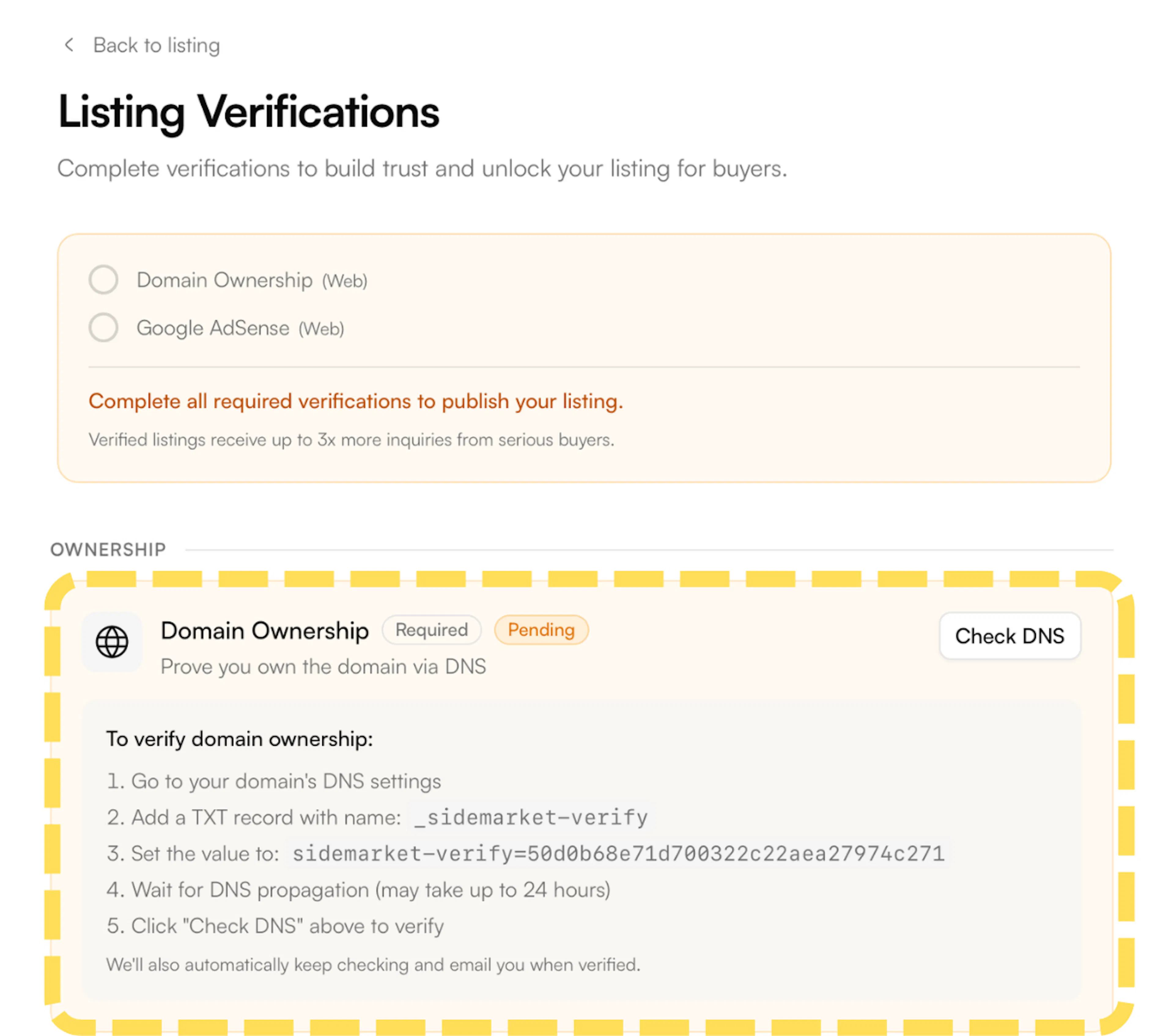
- On the Listing Verifications page, find Domain Ownership under the Ownership section and click Connect. A panel will expand showing your unique verification code and the steps below.
-
Go to your domain registrar or DNS provider (e.g. GoDaddy, Cloudflare, Namecheap) and open the DNS settings for your domain.
-
Add a new TXT record with the following values:
Name / Host:_sidemarket-verify
Value:sidemarket-verify=[your-unique-code]
- Save the record and return to SideMarket and click Check DNS to trigger verification.
DNS changes can take up to 24 hours to propagate. If the check fails, wait a few minutes before trying again - propagation time varies by provider.
SideMarket also checks automatically in the background and will email you when domain ownership is confirmed - you don't need to stay on the page.